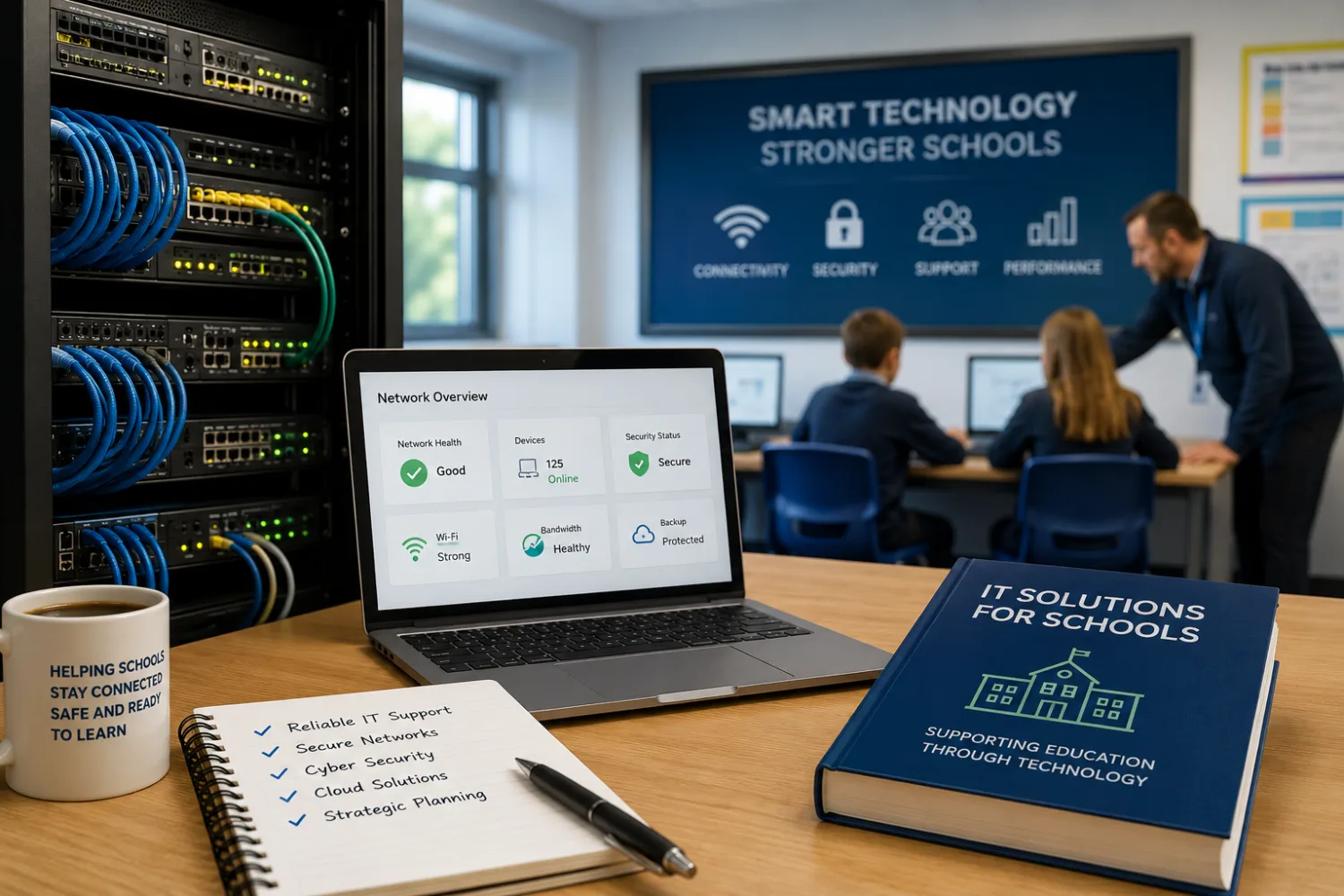
Schools need reliable technology more than ever. Broadband, Wi-Fi, network switching, filtering, monitoring, cybersecurity, cloud systems, devices, backup, safeguarding software and technical support are now central to how schools operate every day.
That creates a real opportunity for IT and networking companies.
But the schools market is not like selling to ordinary businesses. Schools have tight budgets, safeguarding responsibilities, procurement rules, data protection obligations, ageing infrastructure, busy staff and a low tolerance for disruption. A school may desperately need better Wi-Fi or more secure systems, but still take months to approve a supplier.
To break into the UK schools market, IT companies need more than technical skill. They need to understand how schools buy, what risks they worry about, who makes decisions, and how to explain technology in a way that school leaders and business managers can act on.
This guide explains how IT support, networking, cybersecurity, broadband, cloud and infrastructure companies can position themselves for schools, win trust and build long-term school contracts.
Why the school IT market is different
Schools are not just small offices with pupils. They are complex, high-pressure environments where technology affects teaching, safeguarding, administration, finance, attendance, assessment, communication and site security.
A normal business may tolerate a short system outage. A school may have registers to complete, safeguarding records to access, lessons to deliver, parents to contact and exams to support. Downtime is not just inconvenient. It can affect pupil safety, staff workload and school operations.
Schools also have mixed users: pupils, teachers, support staff, senior leaders, governors, parents, visitors and sometimes community users. Devices may include desktops, laptops, tablets, interactive screens, printers, servers, access points, CCTV, door entry, telephony, MIS systems and cloud platforms.
That means schools need IT suppliers who understand the education environment, not just the technology.
The opportunity for IT and networking suppliers
There are many possible entry points into the school market.
IT and networking companies may support schools with:
- managed IT support;
- network audits;
- Wi-Fi design and installation;
- switching and cabling;
- broadband and connectivity;
- firewalls;
- filtering and monitoring;
- cybersecurity audits;
- backup and disaster recovery;
- cloud migration;
- Microsoft 365 or Google Workspace management;
- device procurement and deployment;
- server replacement;
- asset management;
- telephony and VoIP;
- CCTV, access control and security systems;
- data protection support;
- staff training;
- strategic IT planning for schools or MATs.
The strongest opportunities are often where technology meets risk, compliance, workload or long-term planning.
A school may not wake up thinking, “We need a new managed switch.” It may think, “Our Wi-Fi keeps dropping during lessons,” “We are worried about cyber risk,” “Our filtering process is unclear,” “Our IT support is reactive,” or “We do not have a proper technology plan.”
Translate your technical offer into school problems.
Understand the DfE digital and technology standards
The Department for Education has published digital and technology standards for schools and colleges. These standards are important because they give schools a framework for what good digital infrastructure and governance should look like.
DfE says schools and colleges should work towards meeting six core standards by 2030:
- broadband internet;
- wireless network;
- network switching;
- digital leadership and governance;
- filtering and monitoring;
- cyber security.
For IT and networking companies, this is a major positioning opportunity. Instead of selling “better IT”, you can help schools understand where they are against recognised standards and what practical steps they should take next.
You can read the official guidance here: Meeting digital and technology standards in schools and colleges.
Do not lead with technical jargon
Some school IT suppliers lose buyers because they explain the solution before the school has understood the problem.
A school business manager may not care about the technical detail of every switch, access point or endpoint protection tool. They care about whether the network is reliable, secure, affordable and manageable.
A headteacher may not want a long explanation of VLANs, DNS filtering or endpoint detection. They want to know whether staff can teach without disruption, pupils are safer online, systems are protected and the school has a sensible plan.
Technical detail matters, but it should come later. Start with outcomes.
| Technical message | School-friendly message |
|---|---|
| We install enterprise-grade access points with centralised cloud management. | We help schools improve Wi-Fi coverage so lessons are not disrupted by weak or unreliable connections. |
| We provide endpoint protection and MDR services. | We help schools reduce cyber risk and spot suspicious activity before it becomes a serious incident. |
| We segment networks using VLANs and firewall policies. | We help separate users, devices and systems so the school network is safer and easier to manage. |
| We provide backup and disaster recovery solutions. | We help schools recover quickly if files, systems or servers are lost, damaged or attacked. |
Speak in a way that helps non-technical decision-makers understand why the work matters.
Know who makes IT decisions in schools
School IT decisions can involve several people. The right contact depends on the type of school, size of project and whether the school is part of a multi-academy trust.
Possible decision-makers and influencers include:
- headteacher or principal;
- school business manager;
- IT manager or network manager;
- computing lead;
- senior leadership team;
- data protection officer;
- designated safeguarding lead;
- finance manager;
- governors;
- MAT chief operating officer;
- MAT chief finance officer;
- MAT IT director;
- trust procurement lead.
In a small primary school, the school business manager and headteacher may be heavily involved. In a secondary school, there may be an internal network manager. In a MAT, decisions may be centralised through the trust IT or operations team.
Do not assume one person controls everything. Your sales material should be understandable to technical and non-technical stakeholders.
Position yourself around school pain points
Schools rarely buy IT because they want technology for its own sake. They buy because something is not working, something is risky, or something needs improving.
Common school IT pain points include:
- Wi-Fi dead zones;
- slow broadband;
- old switches or cabling;
- unreliable classroom technology;
- reactive IT support;
- unclear backup processes;
- weak cyber security;
- phishing risk;
- unmanaged devices;
- unclear asset records;
- poor filtering and monitoring oversight;
- confusing cloud permissions;
- staff frustration with systems;
- IT strategy that has grown without planning;
- trusts trying to standardise systems across schools.
Your marketing should name these issues clearly.
For example:
“We help schools identify Wi-Fi, switching and cyber risks before they become classroom disruption, safeguarding concerns or expensive emergency fixes.”
That is more compelling than:
“We provide a complete range of IT solutions for the education sector.”
Start with an audit or review
For many IT and networking companies, a school audit is one of the best entry points.
Schools may be hesitant to commit to a large infrastructure project with a new supplier. But they may be open to a clearly scoped review that helps them understand current risks, priorities and costs.
Possible audit offers include:
- network health check;
- Wi-Fi coverage review;
- cybersecurity review;
- backup and recovery review;
- filtering and monitoring review;
- Microsoft 365 or Google Workspace permissions review;
- asset register review;
- DfE digital standards gap analysis;
- IT support service review;
- MAT technology standardisation review.
A good audit should not be a disguised sales pitch. It should give the school useful findings, clear priorities and practical next steps.
You might structure the output as:
- what is working well;
- urgent risks;
- recommended improvements;
- estimated cost ranges;
- quick wins;
- longer-term plan;
- procurement considerations;
- how recommendations link to DfE standards.
If the audit is useful, the school is more likely to trust you with the follow-up work.
Make cybersecurity a practical conversation
Cybersecurity is a growing concern for schools, but many school leaders are not looking for fear-based selling. They need calm, practical help.
DfE’s cyber security standard is one of the six core digital and technology standards. It is focused on keeping schools and colleges cyber secure and controlling and securing user accounts. DfE cyber security core standard.
Cybersecurity suppliers should avoid overwhelming schools with technical language or scare tactics. Instead, explain what schools can do next.
Useful services might include:
- cyber risk assessment;
- phishing awareness training;
- multi-factor authentication setup;
- account permission review;
- backup testing;
- incident response planning;
- endpoint protection;
- firewall review;
- secure configuration;
- staff training;
- governor or trustee briefing;
- cyber improvement roadmap.
A strong message might be:
“We help schools turn cyber security from a worrying technical subject into a practical action plan senior leaders can understand and manage.”
Understand filtering and monitoring expectations
Filtering and monitoring is not just an IT issue. It is linked to safeguarding and online safety. DfE’s filtering and monitoring standards sit within the wider digital and technology standards, and updates have emphasised roles, responsibilities and the link to safeguarding requirements.
For IT suppliers, this means you should not treat filtering as a simple technical installation. Schools need to understand:
- what is filtered;
- what is monitored;
- who receives alerts;
- who reviews reports;
- how concerns are escalated;
- how systems support safeguarding procedures;
- how governors or trustees know arrangements are appropriate;
- how changes are documented;
- how the school checks the system remains effective.
If you provide filtering, monitoring or online safety systems, make sure your sales process involves the right school contacts: IT, safeguarding, senior leadership and sometimes governors or trustees.
Procurement matters: know how schools buy IT
IT can be a complex buying category for schools. Larger projects may need multiple quotes, formal procurement, frameworks, trust approval or technical evaluation.
DfE Buying for Schools encourages schools to use DfE-approved buying options to get better value and remain compliant with procurement regulations. DfE Buying for Schools.
There are also DfE-approved buying options for IT. For example, the Everything ICT buying option lets schools buy IT products, solutions and services including hardware, software, internet connectivity, network infrastructure and cloud services. Everything ICT buying option.
If you are available through a recognised framework or buying route, make that clear. If you are not, do not pretend you are. Instead, show that you understand the school may need to compare quotes or follow its own procurement process.
A good line might be:
“We understand the school may need to compare suppliers or use an approved buying route. We can provide a clear specification, pricing breakdown, implementation timeline and compliance documents to support that process.”
Offer school-ready packages
Schools often find IT pricing difficult to compare. One supplier quotes day rates. Another quotes devices. Another quotes support hours. Another bundles software, hardware and service together.
You can stand out by making your offer easier to understand.
Useful school IT packages might include:
- Network health check: fixed-price review with findings and recommendations.
- Wi-Fi improvement plan: survey, coverage report, installation quote and phased options.
- Cyber essentials readiness package: audit, action plan and technical support.
- Backup and recovery review: assessment, test restore and improvement plan.
- Managed IT support package: monthly support, response times, monitoring and reporting.
- MAT standardisation review: comparison of systems across schools and roadmap.
- DfE standards gap analysis: review against broadband, wireless, switching, governance, filtering and cyber areas.
Each package should make clear:
- what is included;
- what is not included;
- whether site visits are included;
- how many devices, users or sites are covered;
- what output the school receives;
- whether implementation is included or quoted separately;
- what the next step is.
For broader pricing advice, read How to price your services for schools without underselling yourself.
Make your proposal easy for non-technical buyers
IT proposals often become too technical. A school may need technical detail, but the approval document should also be understandable to budget holders and senior leaders.
A strong school IT proposal should include:
- the school’s current problem;
- the risk of doing nothing;
- recommended solution;
- plain-English benefits;
- technical summary;
- implementation timeline;
- school responsibilities;
- downtime or disruption plan;
- safeguarding or data protection considerations;
- support arrangements;
- pricing options;
- warranty or service levels;
- next steps.
For example, instead of only saying:
“Replace existing switching with managed PoE switches and configure VLANs.”
Explain:
“This will improve reliability, support classroom devices and allow the school to separate different types of network traffic more safely. We recommend completing the work during a holiday period to reduce disruption.”
For more detail, read How to write a proposal that wins school contracts.
Be honest about disruption
Schools worry about disruption. A network installation, broadband change, server migration or cloud project can affect lessons, registers, safeguarding systems, communications and staff confidence.
Do not simply say “minimal disruption”. Explain how you will reduce it.
Include:
- recommended delivery window;
- whether work should happen during holidays;
- expected downtime;
- rollback plan;
- communication plan;
- testing process;
- staff briefing;
- on-site support after go-live;
- named escalation contact.
A school will trust you more if you are realistic about disruption than if you pretend there will be none.
Do not ignore safeguarding
IT suppliers may think safeguarding only matters for pupil-facing providers. That is a mistake.
If your staff visit school sites, access systems, handle pupil data, manage filtering, support monitoring tools, install cameras or work around pupils, safeguarding and data protection questions may arise.
Schools may ask for:
- visitor procedures;
- staff names before site visits;
- DBS information where relevant;
- insurance certificates;
- data protection documents;
- confidentiality agreements;
- risk assessments;
- method statements for physical works;
- information security policies;
- subcontractor details.
Be ready. A supplier who has these documents organised looks much more school-ready.
Useful guide: DBS checks, insurance and safeguarding requirements for businesses working with schools.
Take data protection seriously
IT suppliers may access personal data, special category data, safeguarding records, staff accounts, pupil systems, parent contact information, cloud storage, emails, management information systems or backup files.
Schools need to know you will handle access responsibly.
You should be prepared to explain:
- what data you access;
- why access is needed;
- how access is controlled;
- who in your business can access systems;
- whether subcontractors are involved;
- where data is stored;
- how incidents are reported;
- how access is removed when no longer needed;
- whether a data processing agreement is required;
- how you support UK GDPR responsibilities.
Do not wait until contract stage to think about this. Data protection can be a major blocker if handled poorly.
Build trust with school-specific case studies
Schools want to know you can work in their environment. A case study from a corporate office may show technical ability, but it does not prove school readiness.
Useful school IT case studies might show:
- Wi-Fi improved across classrooms with minimal disruption;
- a network upgrade completed during school holidays;
- a MAT moved towards standardised IT support;
- a cyber audit led to a practical action plan;
- a school improved backup and recovery confidence;
- staff received practical training after a system change;
- a supplier reduced repeated IT issues and support tickets;
- filtering and monitoring responsibilities became clearer.
Make case studies specific. Include the problem, what you did, how disruption was managed and what improved.
If you need help collecting proof, read How to get a case study or testimonial from a school and use it to win more work.
Start local if you are new to schools
If you are not yet known in the education market, local schools can be a sensible starting point.
Local IT suppliers can offer advantages:
- faster site visits;
- better understanding of local connectivity issues;
- relationships with nearby schools;
- lower travel costs;
- more responsive on-site support;
- easier local references;
- knowledge of regional school networks.
Do not just email every school nearby with a generic pitch. Build a targeted list and match your offer to each school type.
For example, small primaries may need practical managed support and clear budgeting. Secondary schools may need more specialist network and device management. MATs may need standardisation and reporting.
Use LinkedIn to reach the right school contacts
LinkedIn can help IT suppliers reach school business managers, IT managers, headteachers and MAT leaders.
Good LinkedIn content for IT suppliers might include:
- questions schools should ask before changing IT support provider;
- how to plan a Wi-Fi upgrade around term dates;
- cybersecurity basics for school leaders;
- what schools should check in backup arrangements;
- how MATs can standardise IT without overwhelming schools;
- lessons from school network audits;
- plain-English explanations of DfE digital standards.
Do not connect and immediately pitch a managed service contract. Share useful insight, offer a checklist or invite a practical conversation.
Useful guide: How to use LinkedIn to reach UK school business managers and headteachers.
Consider education trade shows and networks
Education trade shows and school business manager networks can be useful for IT suppliers, especially if you offer something visual, practical or risk-focused.
Events such as edtech, school leadership, academies, estates and cybersecurity conferences can help you meet school and MAT contacts. But do not exhibit without a clear plan.
Your stand or event message should not be:
“Complete IT solutions for education.”
It should be more specific:
“Helping schools find and fix Wi-Fi, switching and cyber risks before they disrupt learning.”
For event planning, read How to exhibit at UK education trade shows and make it worth the investment.
Think carefully about MATs
Multi-academy trusts can be valuable for IT and networking companies because one trust relationship may cover several schools. But MAT work can be more complex than individual school work.
MATs may want:
- standardised systems;
- central reporting;
- consistent support levels;
- multi-site pricing;
- asset registers;
- trust-wide cyber strategy;
- shared filtering and monitoring oversight;
- procurement compliance;
- framework availability;
- clear escalation routes;
- evidence you can scale.
If you want MAT work, be ready with trust-specific pricing, case studies, service levels and implementation planning.
Useful guide: How to get onto a MAT preferred supplier list.
Offer phased projects instead of one large leap
Schools may delay IT projects when the cost or complexity feels too large. A phased approach can make decisions easier.
For example:
- Phase 1: audit and risk review;
- Phase 2: urgent fixes and quick wins;
- Phase 3: infrastructure upgrade;
- Phase 4: staff training and documentation;
- Phase 5: ongoing monitoring and support.
This helps schools spread cost, reduce risk and build confidence.
It also makes your proposal easier to approve because the school can see what must happen now and what can wait.
Align your outreach with school budget cycles
Timing is crucial in school IT sales.
Large projects are often planned months in advance. Summer holiday network work may need to be quoted and approved well before July. September IT changes may need to be planned in spring or early summer. MAT strategy work may align with annual budget planning.
Good outreach timing might include:
- September to November: identify problems that appeared at the start of term, such as Wi-Fi issues, device problems or support frustrations.
- January to March: offer audits, planning reviews and budget-ready proposals for next academic year.
- April to June: finalise summer projects, September readiness and procurement decisions.
- July and August: deliver approved work rather than starting cold conversations.
For a full explanation, read Understanding school budget cycles: when UK schools actually spend money.
How to approach schools without sounding like every other IT company
Many IT outreach emails sound the same:
“We provide reliable IT support and managed services to schools. We would love to discuss how we can help.”
That is too generic.
A better email is specific, timely and useful.
Subject: Wi-Fi and network planning for next academic year
Hi [Name],
We help schools identify and prioritise Wi-Fi, switching and cyber risks before they become expensive emergency fixes.
As many schools are planning summer and September IT work, we are offering a fixed-scope network health check that gives schools a clear summary of current risks, quick wins and budget-ready recommendations.
If useful, I can send a one-page overview showing what is included, typical cost and the report format schools receive.
Best wishes,
[Your name]
This message works better because it gives the school a reason to respond without demanding a meeting immediately.
Build a school-ready supplier pack
Before approaching schools, prepare the information they are likely to request.
Your IT supplier pack might include:
- company overview;
- education experience;
- services offered;
- pricing or package guide;
- support model;
- service level information;
- insurance certificates;
- DBS information where relevant;
- data protection statement;
- information security policy summary;
- subcontractor details where relevant;
- case studies;
- references;
- framework information if applicable;
- implementation process;
- escalation contacts.
The easier you make due diligence, the more professional you look.
Common mistakes IT suppliers make when selling to schools
1. Leading with products instead of problems
Schools care about outcomes: reliable lessons, safer systems, less disruption and lower risk. Start there.
2. Using too much jargon
Technical contacts may understand it, but senior leaders and budget holders may not. Use plain English first, technical detail second.
3. Ignoring procurement
Schools may need quotes, frameworks or formal approval. Help them buy properly rather than trying to rush the process.
4. Underestimating safeguarding and data protection
IT suppliers may access sensitive systems and data. Schools need confidence that you will handle this responsibly.
5. Failing to explain disruption
If work may affect lessons, systems or staff access, explain how disruption will be managed.
6. Selling one large project too early
A phased audit, pilot or review may be easier for a school to approve than a major upgrade from a new supplier.
7. Not having school case studies
Education buyers want proof you understand schools. Build relevant evidence as soon as possible.
8. Treating all schools the same
A small primary, large secondary and MAT central team have different needs, budgets and decision processes.
A practical checklist for IT companies entering the schools market
Before launching a school campaign, check that you can answer these questions:
- Which school IT problem do we solve best?
- Are we targeting primaries, secondaries, special schools, MATs or all of them?
- Who is the decision-maker for our service?
- Can we explain our offer in plain English?
- Do we understand the DfE digital and technology standards?
- Can we offer a low-risk audit, review or pilot?
- Is our pricing clear and school-friendly?
- Do we have a proposal template for schools?
- Do we have insurance and compliance documents ready?
- Can we explain data protection and system access clearly?
- Do we have school case studies or relevant evidence?
- Are we on any frameworks or approved buying routes?
- Can we deliver without disrupting the school day?
- Do we have a follow-up process?
Useful external resources
- Meeting digital and technology standards in schools and colleges — DfE guidance covering broadband, wireless, switching, governance, filtering and monitoring, and cyber security.
- Cyber security: core standard — DfE guidance on keeping schools cyber secure.
- Buying for schools — DfE guidance on approved buying options and compliant procurement.
- Everything ICT buying option — DfE-approved buying option for IT products, solutions and services.
How All Schools can help IT suppliers be found by schools
School IT buying often starts with research. A school may look for local IT support, compare cybersecurity providers, search for networking companies, or ask for recommendations before contacting anyone directly.
A clear supplier profile can help schools understand what you offer and why you are suitable for education. You can explore the All Schools supplier directory or learn how to join the school suppliers directory.
You may also find these guides useful:
- How edtech companies can reach UK schools
- How to use LinkedIn to reach UK school business managers and headteachers
- How to get onto a MAT preferred supplier list
- Why schools ghost suppliers — and how to follow up professionally
- How to exhibit at UK education trade shows and make it worth the investment
The bottom line
IT and networking companies can absolutely break into the UK schools market, but not by selling technology in isolation.
Schools need suppliers who understand education: limited budgets, safeguarding, data protection, procurement, term dates, classroom disruption, trust structures and the pressure on school staff.
The strongest IT suppliers position themselves around school outcomes. They help schools improve reliability, reduce risk, plan upgrades, meet digital standards and make technology easier to manage.
Start with a clear problem. Offer a low-risk review or audit. Speak in plain English. Prepare compliance documents. Understand procurement. Build school case studies. Follow up professionally.
Schools do not just need IT companies that know networks. They need IT partners who understand schools.
FAQs
Can IT companies sell directly to schools?
Yes. IT companies can sell directly to schools, but schools may need to follow procurement rules, compare quotes or use approved buying routes depending on the value and type of purchase. MATs may also have centralised procurement or preferred supplier arrangements.
What IT services do UK schools need?
Schools may need managed IT support, Wi-Fi upgrades, network switching, broadband, cybersecurity, filtering and monitoring, cloud support, device management, backup, disaster recovery, asset management, telephony and strategic IT planning.
Who buys IT services in schools?
Decision-makers may include headteachers, school business managers, IT managers, network managers, finance leads, governors, MAT IT directors, chief operating officers, chief finance officers and procurement leads.
How can an IT company get its first school client?
A good entry point is a low-risk audit or review, such as a network health check, Wi-Fi survey, cybersecurity review or DfE standards gap analysis. This helps the school understand its needs before committing to a larger project.
Do schools care about DfE digital and technology standards?
Yes, increasingly. DfE has set core digital and technology standards for schools and colleges, including broadband, wireless, switching, digital governance, filtering and monitoring, and cyber security. Suppliers can help schools understand and work towards these standards.
Do IT suppliers need DBS checks to work with schools?
It depends on the role, site access and contact with pupils. Some IT suppliers may not need DBS checks if supervised and not working with children, but schools may still ask for visitor arrangements, staff details, insurance and data protection documents. If staff work regularly on site or have unsupervised access, further checks may be required.
How should IT companies price school services?
Pricing should be clear and easy to compare. Schools often appreciate fixed-scope audits, monthly managed support packages, phased project pricing and clear explanations of what is included. Be transparent about VAT, travel, hardware, licences, support levels and optional extras.
Should IT companies target MATs or individual schools first?
Both can work. Individual schools may be easier for a first education case study, while MATs can offer larger opportunities but usually require stronger evidence, scalability, procurement awareness and central reporting. A good route is often to prove value with one school, then build trust-level conversations.
Are procurement frameworks important for school IT suppliers?
They can be. Some schools and MATs prefer or require approved buying routes or frameworks for IT purchases. Being on a relevant framework can help, but it does not replace the need for clear value, strong service and school-specific evidence.
What is the biggest mistake IT suppliers make when approaching schools?
The biggest mistake is leading with technical products instead of school problems. Schools respond better when suppliers explain how they reduce disruption, improve reliability, strengthen safeguarding, reduce cyber risk and make technology easier for staff to manage.