
For Parents & Carers
Find, Compare & Shortlist UK Schools (Without the Overwhelm)
Shortlist schools faster, compare them side-by-side, and export clear PDFs and Excel files you can share at home or take to open days.
- Explore schools across the UK by town, local authority, district and more.
- Use advanced filters to narrow down realistic options (phase, type, gender, trust and more).
- Export school profiles to PDF or Excel to keep key facts in one place.
- Export comparisons to PDF or Excel so family discussions are clearer and less stressful.
- Bonus: find trusted local help (tutors, SEND support, wellbeing, clubs) via Supplier/Educator listings — all in one place.
AllSchools is not an admissions service and can’t decide for you — but it helps you stay organised with reliable school information, comparisons and exports in one ad-free place.
Pro Plan for Parents
Extra tools to shortlist, compare and share
Get advanced search and filters, plus exports to PDF and Excel so you can build a shortlist, share comparisons and keep school profiles for open days.
Billed monthly. Cancel anytime — ideal while you’re actively researching schools.
🔒 Secure Stripe payments · Cancel anytime · Use it just for the years you need it
Includes PDF & Excel exports for school profiles and comparisons.
Made for parents who want to feel informed, not overwhelmed
AllSchools Pro is for parents and carers who want an easier way to explore what’s nearby, compare schools clearly, and share shortlists with family.
Choosing a first school
Build a shortlist quickly and export a simple PDF to talk it through at home before visits and open days.
Moving area or changing schools
See what’s around your new area and keep school profiles in PDF/Excel while you research.
Comparing options with your child
Use side-by-side comparisons and export them so everyone sees the same facts when deciding.
How parents use AllSchools Pro when choosing schools
1. See what schools are nearby
Search by town, area or postcode to see schools around you and filter by phase and type.
2. Open detailed school pages
Open individual school pages to see key information in one place rather than visiting lots of different websites.
3. Compare, export & plan next steps
Compare schools side-by-side, then export to PDF or Excel to share with family and keep notes for visits.
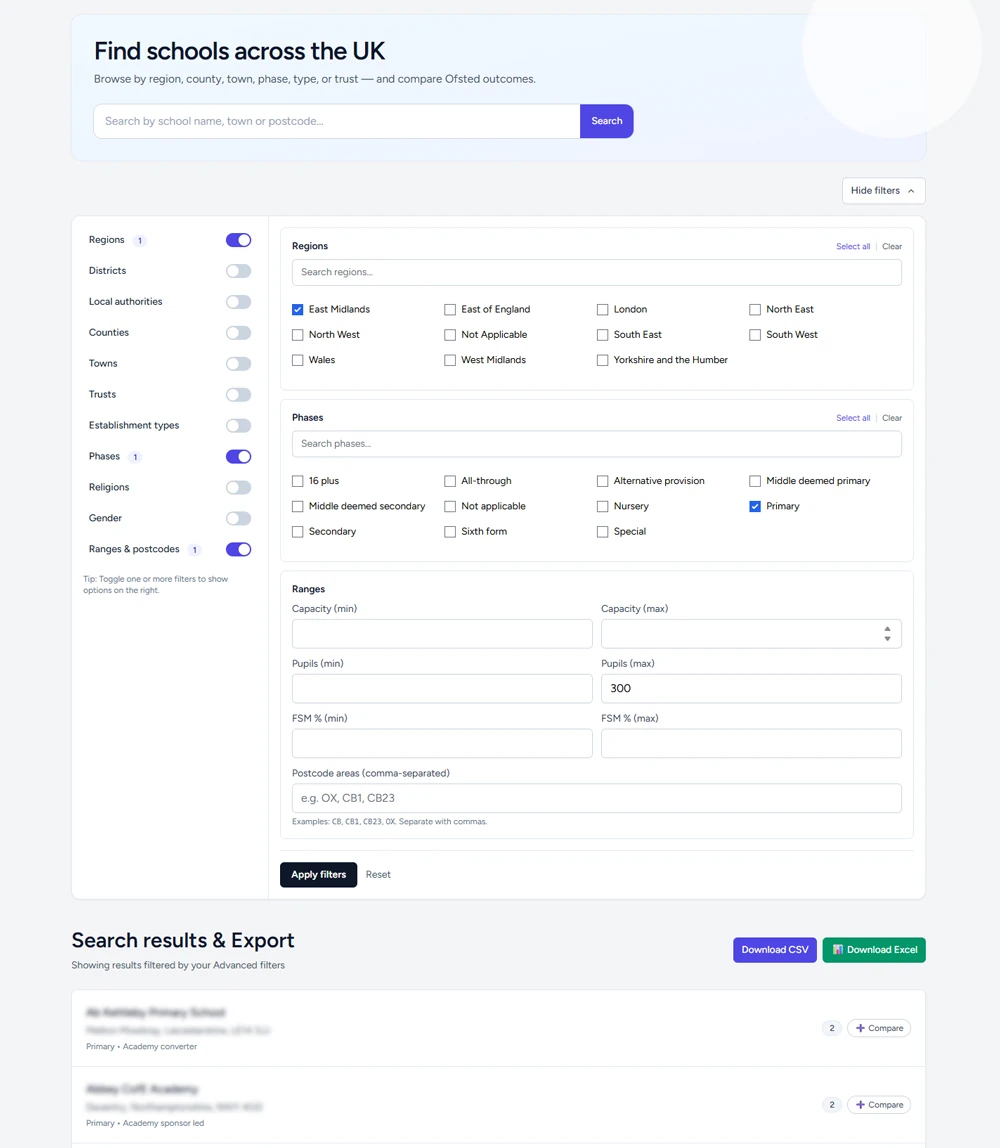
Search and filter schools in a few clicks
Instead of flicking between different websites and lists, use AllSchools Pro to see schools in your area and narrow them down quickly.
- Look up schools by town, area or local authority.
- Filter by phase (primary, secondary, special etc.) and school type.
- Save time when building a shortlist to talk through with your child or partner.
- Export school profiles to PDF or Excel to keep key facts for open days.
Compare schools and share the results
Compare schools side-by-side to spot differences quickly — then export the results so everyone at home is looking at the same information.
- Compare multiple schools in one view to spot key differences.
- Export comparisons to PDF for family discussions (simple, printable, shareable).
- Export comparisons and profiles to Excel to add your notes and ranking.
- Keep things calm with an ad-free experience while you research.
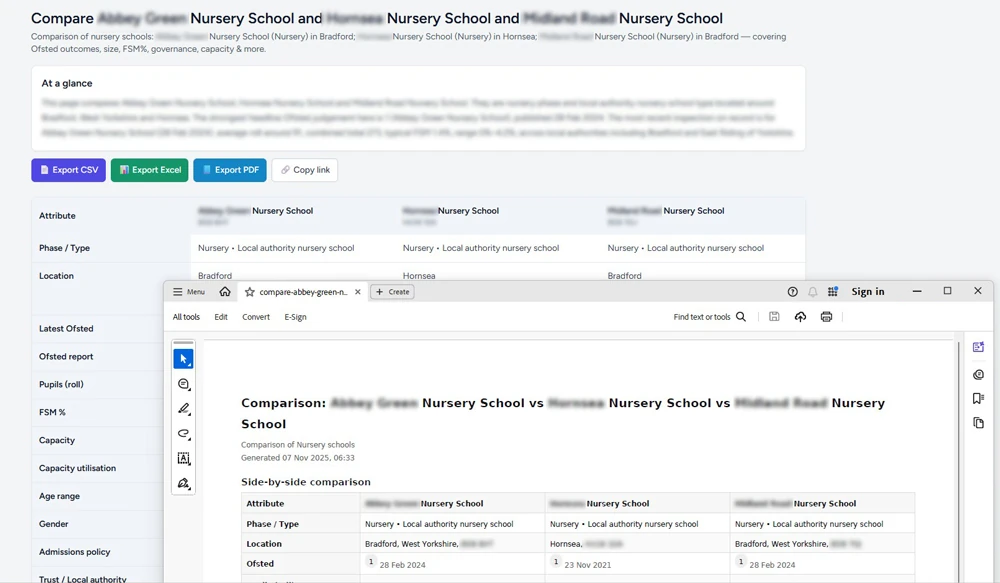
Make school research feel calmer and more organised.
AllSchools Pro won’t tell you which school to choose — but it makes it much easier to see what’s out there, compare options and share information with family.
Cancel anytime from your billing portal — many families use Pro just for a key decision period.
Not official advice — AllSchools is an independent site that brings information together to support your own decisions.
Pro Plan for Parents
Start exploring schools more easily
Or £8.99 / month billed monthly — ideal if you only need it for one school application cycle.
- Search and filter UK schools more easily.
- Compare schools side-by-side to build a shortlist.
- Export comparisons and school profiles to PDF & Excel.