
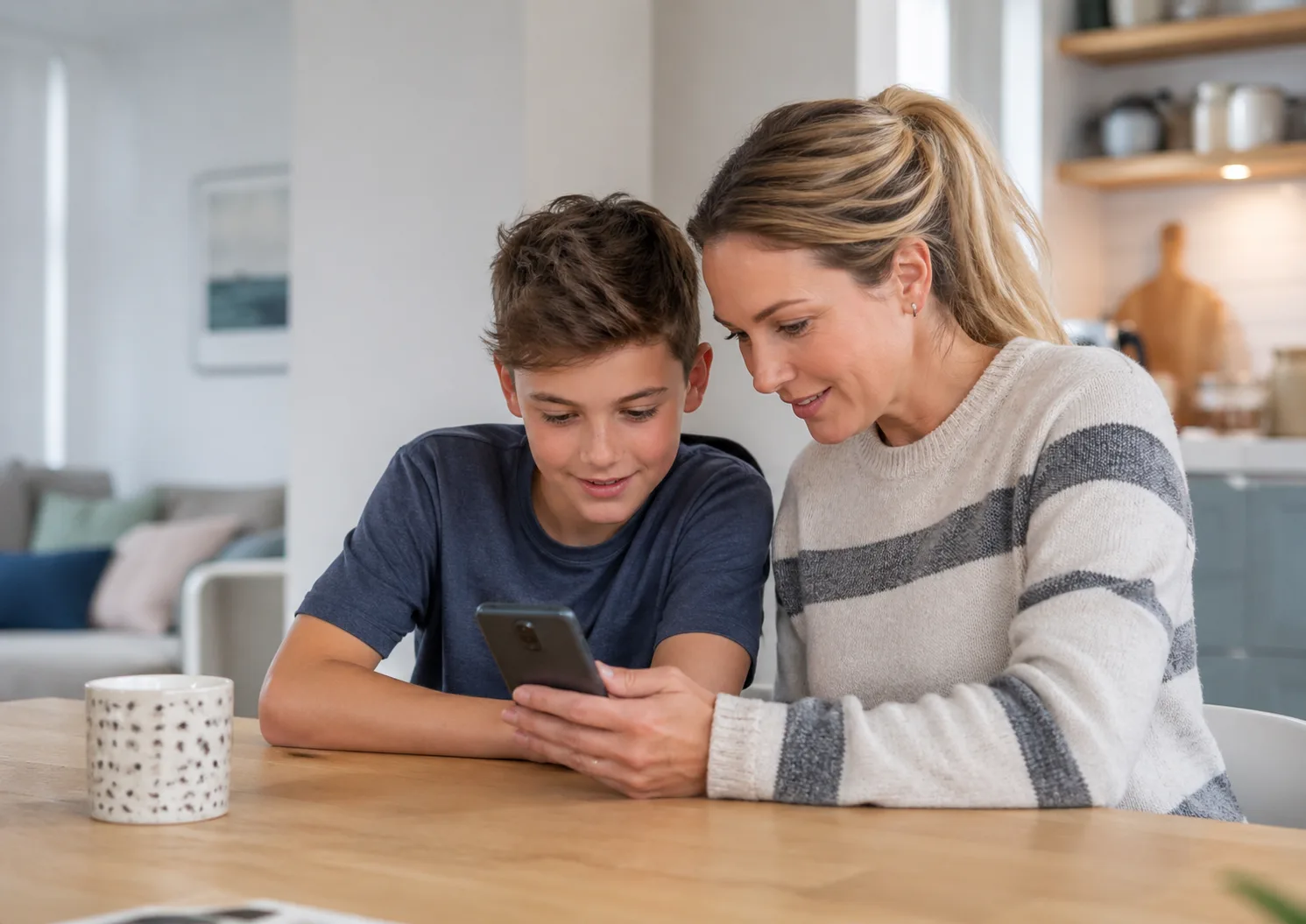
Most parents want to keep their child safe online, but very few want to become the kind of parent who secretly reads every message, checks every search, or turns the phone into a daily battlefield. That tension is completely normal. You want to protect your child from harm, but you also want to respect their privacy, build trust and help them become independent.
The problem is that children’s online lives are complicated. A phone is not just a phone. It can be a classroom, a social space, a camera, a games console, a diary, a map, a television, a group chat, a source of pressure, and sometimes a place where bullying, grooming, harmful content or risky behaviour can happen out of sight.
Checking your child is safe online does not have to mean spying. In fact, the best online safety approach is usually the opposite of spying. It is open, calm, predictable and age-appropriate. It combines trust with boundaries. It teaches children what to do when something feels wrong. It helps parents spot warning signs without turning every conversation into an interrogation.
This guide explains how to check your child is safe online in a way that protects them, respects their growing independence, and keeps communication open.
Why online safety is different from ordinary screen-time worries
Parents often talk about screens as though there is one single issue: too much time online. But online safety is broader than screen time. A child may not spend huge amounts of time online and still face a serious risk. Another child may spend a lot of time online but be using technology safely, creatively and socially.
Online safety includes what children see, who they talk to, how they behave, what they share, how they manage privacy, how they respond to pressure, whether they can report problems, and whether they feel able to come to an adult when something goes wrong.
It can involve:
- social media accounts
- messaging apps and group chats
- gaming chats
- video platforms
- livestreaming
- photo and video sharing
- location sharing
- online bullying
- pressure to send images
- contact from strangers
- harmful content
- misinformation
- sleep and digital distraction
Ofcom’s Children and Parents: Media Use and Attitudes Report 2025 gives a useful picture of how embedded digital media is in children’s lives across the UK. It is a helpful reminder that this is not a niche problem affecting only a few families. Online life is now part of childhood.
The aim is not to catch your child out
If your starting point is “how do I catch my child doing something wrong?”, your child will probably feel watched, accused and defensive. They may become secretive, use hidden accounts, delete messages, or stop telling you when something worrying happens.
A better starting point is:
“How do I help my child use the internet safely, kindly and confidently — and how do I make sure they know I will help if something goes wrong?”
This does not mean giving unlimited freedom. Children need boundaries. Younger children need more supervision. Teenagers still need guidance. But online safety works best when children understand that the goal is protection, not punishment.
The NSPCC’s online safety advice encourages parents to talk regularly with children about what they do online, use privacy and safety settings, check age ratings, and help children know how to block, report and ask for help. Their guides on keeping children safe online and social media safety are good external resources to use alongside this article.
Why children may not tell parents when something goes wrong
Parents often say, “My child knows they can tell me anything.” That may be true. But children and teenagers do not always experience it that way in the moment.
A child may stay silent because they are embarrassed. They may worry their phone will be taken away. They may feel partly responsible. They may think they will get into trouble for being on an app they were not supposed to use. They may be scared of making bullying worse. They may have been threatened. They may not recognise that what happened was unsafe.
This is why your reaction matters. If your child tells you something worrying, try not to begin with anger, even if you are frightened. The first message they need to hear is:
“Thank you for telling me. We will deal with this together.”
You can talk about rules later. First, make sure your child knows they were right to come to you.
Start with conversation before checking
The healthiest online safety check is not opening your child’s phone behind their back. It is a regular conversation that makes online life feel discussable.
Do not wait until there is a crisis. Talk while things are calm. Ask about apps, games, group chats and online friendships in the same way you might ask about school, sport or clubs. Show interest without immediately judging everything.
You might ask:
- “Which apps do you use most at the moment?”
- “What do you like about them?”
- “Are there any apps people use that make you feel uncomfortable?”
- “Are group chats mostly fun, or do they sometimes cause drama?”
- “What would you do if someone sent something horrible?”
- “Do you know how to block or report someone?”
- “Have you ever seen something online that stuck in your head?”
- “Do you feel pressure to reply quickly?”
- “Do people at school ever fall out because of screenshots or messages?”
Some children will talk easily. Others will shrug and say “nothing”. That does not mean the conversation is wasted. You are showing that online life is something your family can talk about.
UK Safer Internet Centre has useful advice on staying safe on social media, including the importance of age restrictions, privacy settings, reporting, and regular household conversations about safer internet use.
Agree what you may check before you need to check it
Children cope better with boundaries when they are clear in advance. If you suddenly demand to inspect their phone during an argument, it will feel like a punishment. If you agree a family safety routine beforehand, it feels more predictable.
For younger children, you may say clearly that you will regularly check apps, contacts, privacy settings, downloads and messages because they are still learning. For older children, the balance can shift. You may check settings and talk through concerns, but give more privacy unless there is a safety reason to look more closely.
A family agreement might include:
- which apps are allowed
- whether accounts must be private
- whether location sharing is allowed
- who can contact your child
- what happens with group chats
- where devices charge overnight
- when you may check the phone
- what would count as a safety concern
- what your child should do if something worrying happens
This is not about creating a legal contract. It is about avoiding secrecy and panic.
The difference between monitoring and spying
Monitoring means having age-appropriate oversight of your child’s digital life. It is open, explained and linked to safety. Spying means secretly invading privacy without a clear reason, often in a way that damages trust.
For a seven-year-old using a tablet, close supervision is normal. For a thirteen-year-old with a smartphone, parents still need boundaries and oversight, but the child also needs to develop judgement. For an older teenager, constant secret checking may be damaging unless there is a serious safeguarding concern.
There are times when a parent may need to check more directly. If you have a genuine concern about grooming, self-harm, bullying, exploitation, unsafe contact, illegal content or serious risk, safety comes first. But even then, it is usually better to be as honest as possible:
“I am worried about your safety, so I need to look at this with you.”
That is very different from casually reading every private conversation because you are curious.
What parents should check regularly
You do not need to read every message to make meaningful safety checks. In many cases, the most useful checks are settings, patterns and risks.
Here are the main areas to review.
1. Privacy settings
Check whether your child’s accounts are public or private. For most children, private accounts are safer. Public accounts can make it easier for strangers to view posts, send messages, follow activity or gather personal information.
Check who can:
- send friend or follow requests
- message your child
- comment on posts
- see stories or status updates
- tag your child
- view their profile information
- see their activity status
Privacy settings change over time, so this should not be a one-off check. Review them every few months, especially after app updates or when your child starts using a new platform.
2. Location sharing
Location sharing can be useful in some family situations, but it can also create risk. Some apps allow users to share live location with friends or contacts. Some photos may include location information. Some children do not realise how much they are revealing.
Ask:
- Which apps can access your child’s location?
- Can other users see where they are?
- Are they sharing location with friends?
- Do they understand why live location can be risky?
- Are location settings needed, or can they be turned off?
The NSPCC specifically recommends helping children turn off location sharing and set accounts to private as part of safer social media use.
3. Contacts and followers
You do not need to know every detail of every friendship, but you should have a sense of who can contact your child. This is especially important for younger children and early secondary pupils.
Look out for:
- adults your child does not know offline
- unknown accounts sending messages
- large numbers of followers your child cannot explain
- people asking to move conversations to private apps
- contacts who ask for photos, secrets or personal information
- accounts with no clear identity
Teach your child that not everyone online is who they say they are, and that they never have to continue a conversation that feels uncomfortable.
4. Group chats
For many children, especially in Years 5 to 9, group chats are where a lot of online stress happens. They can be useful and fun, but they can also become overwhelming. Arguments, exclusion, screenshots, late-night messages, dares, rumours and pile-ons can all happen in group chats.
Ask your child:
- Which group chats are you in?
- Are they mostly friendly?
- Do people ever get left out or targeted?
- Do messages continue late at night?
- Do people screenshot private messages?
- Do you know how to mute, leave, block or report?
You do not always need to read the whole chat. But if your child is upset, anxious, secretive, being bullied or involved in harmful behaviour, you may need to look more closely with them.
If online conflict is affecting school life, our guide on dealing with bullying may help you decide when to involve the school.
5. App age ratings and platform rules
Many children use apps before they meet the stated age requirement. Parents are often under pressure because “everyone else has it”. But age ratings and platform rules exist for a reason. They usually reflect privacy, contact, content, advertising or safety issues.
Before allowing a new app, check:
- the minimum age
- whether strangers can contact users
- whether profiles are public by default
- whether content is moderated
- whether location sharing is involved
- whether in-app purchases are available
- whether there are parental controls
- whether your child is mature enough to handle it
Internet Matters has practical parental controls and privacy settings guides for devices, apps and platforms. These are useful because settings vary between phones, games, apps and operating systems.
6. Direct messages
Direct messages are often more sensitive than public posts. Children may receive messages from friends, classmates, strangers, older pupils or people they have met through gaming or social media.
For younger children, it is reasonable for parents to have more oversight. For older children, you may not routinely read everything, but you should teach them what unsafe messages look like.
Warning signs include someone who:
- asks for secrecy
- asks personal questions too quickly
- sends sexual content
- asks for photos
- pressures your child to move to another app
- offers gifts, money or gaming rewards
- threatens to share information or images
- tries to isolate your child from parents or friends
Teach your child that they can show you a message without getting into trouble for receiving it. Receiving an unsafe message is not their fault.
7. Photos, videos and sharing
Children need clear guidance about images. They need to understand that photos and videos can be saved, shared, edited, screenshotted or used in ways they did not expect. This includes silly videos, embarrassing photos, school uniform pictures, location-revealing images and intimate images.
Talk about:
- not sharing images to please someone else
- not forwarding embarrassing photos of others
- asking permission before posting someone else
- not sharing school details, addresses or routines
- what to do if someone asks for an image
- what to do if an image has already been shared
If a nude or sexual image of a child has been shared online, do not respond with shame. Get help. The NSPCC and Childline support the Report Remove tool, which can help young people report nude images or videos of themselves online and request removal.
8. Search history and content exposure
Parents sometimes feel uncomfortable checking search history. It can feel intrusive, especially with older children. But if you are worried your child has been exposed to harmful content, or if there are signs of distress, it may be appropriate to look with care.
Children may come across upsetting, violent, sexual, hateful, self-harm-related or extreme content accidentally or through algorithms. They may not know how to talk about what they have seen.
Warning signs might include:
- nightmares or sleep problems
- sudden anxiety or withdrawal
- secretive device use
- new aggressive or sexualised language
- fear of being alone
- obsessive interest in disturbing topics
- low mood after being online
If you need to check, try to do it calmly. Say why. Avoid shaming curiosity, but be clear about safety.
9. Gaming chats
Online safety is not only about social media. Gaming platforms can include chat, voice communication, private messages, friend requests, live streaming and purchases. Children may speak to people they do not know offline.
Check:
- whether chat is enabled
- whether voice chat is allowed
- who can send friend requests
- whether your child uses a real name
- whether spending controls are in place
- whether reporting and blocking tools are understood
- whether games are age-appropriate
Many parents focus on phones but overlook consoles. If your child plays online games, gaming safety should be part of the conversation.
10. Screen time, sleep and learning
Online safety also includes wellbeing. A child may not be in immediate danger but may still be harmed by poor sleep, constant comparison, late-night messaging or digital distraction.
If your child is tired, distracted, irritable or falling behind, look at when and how they use devices. Phones in bedrooms overnight are a common source of problems. So are group chats that continue late into the night.
Our guide on how digital distraction affects children’s learning explores this in more detail. You may also find healthy sleep habits for school-aged children useful if screens are affecting bedtime.
Signs your child may not be safe online
Some online risks are obvious. Others appear through changes in mood, behaviour or routine. One sign alone may not mean something serious is happening, but a pattern is worth paying attention to.
Possible warning signs include:
- becoming secretive or panicked when you come near their device
- sudden changes in mood after using a phone, game or app
- withdrawing from family or friends
- not wanting to go to school after online conflict
- sleep problems linked to late-night messages
- receiving gifts, money or items you cannot explain
- using new apps you did not know about
- having multiple or hidden accounts
- being contacted by older people or strangers
- becoming unusually anxious about notifications
- deleting messages or accounts suddenly
- using sexualised, aggressive or extreme language unexpectedly
- becoming distressed when online access is limited
- falling behind at school because of online activity
Do not jump straight to the worst conclusion, but do not ignore your instincts either. If something feels wrong, start a calm conversation and gather more information.
What to do if you find something worrying
Finding something worrying on your child’s phone can be frightening. You may see bullying messages, inappropriate images, unsafe contact, threats, harmful content or evidence your child has behaved badly online. Your first reaction may be anger. Try to pause.
Start with safety:
- Is your child in immediate danger?
- Is someone threatening them?
- Has an image been shared?
- Is another child at risk?
- Does school need to know?
- Do you need to report the account, content or contact?
Take screenshots or save evidence where appropriate, especially if bullying, threats, grooming or harassment may be involved. Do not forward sexual images of children. If intimate images of a child are involved, seek specialist advice rather than sharing them further.
Depending on the issue, you may need to:
- block the person
- report the account or content in the app
- contact school if pupils are involved
- use the school’s safeguarding route
- contact the police if there is immediate danger or a crime
- report online sexual exploitation concerns to CEOP
- seek help from Childline, NSPCC or local services
If you are worried about online sexual abuse, grooming or exploitation, you can report to the CEOP Safety Centre. If content is harmful but you are unsure how to report it, UK Safer Internet Centre’s Report Harmful Content service can help with reporting routes for many platforms.
How to respond if your child has behaved badly online
Online safety is not only about protecting your child from others. Sometimes your child may be the one who has sent an unkind message, joined in a pile-on, shared a screenshot, forwarded an embarrassing photo, used offensive language, or broken school rules.
This can be difficult to face. Try not to make excuses, but also try not to label your child as cruel or bad. Children make mistakes online because they act quickly, copy peers, misunderstand impact, seek approval, or forget that there is a real person on the other side of the screen.
Focus on responsibility and repair:
- What happened?
- Who was affected?
- What made it feel acceptable at the time?
- What should have happened instead?
- What needs to be deleted, reported or corrected?
- Does an apology or repair conversation need to happen?
- Do phone or app boundaries need to change?
If online behaviour is causing school problems, our guide on what to do if your child keeps getting in trouble at school may help you approach the issue calmly and practically.
Should you read your child’s messages?
This is one of the hardest questions for parents. There is no single answer that fits every age, child and situation.
For younger children, parents should have more oversight. A child in primary school using messaging apps or online games still needs close support. They may not understand risk, privacy, tone, manipulation or consequences.
For older children and teenagers, routine reading of every private message can damage trust, especially if there is no safety concern. But parents still have a responsibility to protect. If there are warning signs, serious concerns or evidence of harm, it may be necessary to look at messages with your child.
A useful family principle is:
“I will respect your privacy as you show you can use your phone safely. If I am seriously worried about safety, I may need to check with you.”
This gives privacy as something real, but not unlimited or detached from safety.
Age-by-age guidance
Every child is different, but the level of supervision should usually change as children grow.
Primary school children
Primary school children need close guidance. They should not be left to manage complex online spaces alone. Parents should know what apps, games and devices they use, who they communicate with, and what settings are in place.
At this age, focus on:
- using devices in shared spaces
- limited and age-appropriate apps
- no unsupervised contact with strangers
- strong parental controls
- clear rules about photos and personal information
- learning to ask an adult when something feels wrong
- no devices in bedrooms overnight
Early secondary pupils
Years 7 to 9 can be a tricky stage. Many children get more independence, more group chats, more social pressure and more access to smartphones. They may look mature, but they still need a lot of support.
At this stage, focus on:
- private accounts
- checking contacts and group chats
- understanding screenshots and digital reputation
- managing phone use during homework
- sleep boundaries
- blocking and reporting
- talking about peer pressure and online kindness
Older teenagers
Older teenagers need more privacy, but not total absence of parental interest. They still benefit from calm conversations about relationships, pressure, image sharing, misinformation, online arguments, gambling-like mechanics in games, and digital wellbeing.
At this stage, focus on:
- trust and independence
- healthy sleep and revision routines
- online reputation
- consent and respectful relationships
- knowing where to get help
- being able to talk without fear of immediate punishment
Parental controls: useful, but not enough
Parental controls can help. They can block inappropriate content, limit app use, manage purchases, set time limits and reduce access to risky material. The NSPCC explains that parental controls can work across WiFi, phone networks, apps and devices.
But parental controls are not a substitute for conversation. They do not teach judgement on their own. They do not stop every risk. They can be bypassed by determined older children. And they do not help a child know what to do when something harmful appears on a friend’s device.
Use controls as a safety net, not as the whole safety plan.
What to check on a new phone or device
If your child is getting a first phone, a new tablet or a gaming device, set it up together before handing it over. Do not wait until problems begin.
Check:
- screen time or usage controls
- content restrictions
- app download permissions
- in-app purchase settings
- privacy settings
- location access
- camera and microphone permissions
- browser restrictions
- social media privacy
- gaming chat settings
- password security
- where the device will charge overnight
Make the setup a shared safety routine rather than a secret control exercise. You might say, “Before you use this independently, we need to make sure it is set up safely.”
Teach your child the “pause and show” rule
One of the simplest online safety habits is the “pause and show” rule. If something online makes your child feel scared, confused, pressured, embarrassed or uncomfortable, they should pause and show a trusted adult before replying, deleting or sharing.
This is especially useful for:
- messages from strangers
- requests for photos
- threats
- bullying messages
- sexual content
- links that seem suspicious
- dares or challenges
- pressure to keep secrets
Children often make things worse by reacting quickly. The pause gives them time to involve an adult.
Teach your child what not to share
Children need repeated reminders about personal information. They may understand “do not share your address”, but still post a school uniform photo, a street view, a holiday update, a routine, or a video that reveals more than they realise.
Teach them not to share:
- home address
- school name if accounts are public
- phone number
- passwords
- live location
- daily routines
- travel routes
- images that reveal location
- private family information
- photos of others without permission
Also teach them that private information can be shared accidentally through backgrounds, uniforms, usernames, bios and comments.
Online kindness matters too
Parents often focus on whether their child is safe from harm. But children also need to learn how not to harm others online. Online behaviour can affect friendships, school behaviour, mental health and reputation.
Talk about:
- not joining in pile-ons
- not forwarding humiliating content
- not screenshotting private messages to embarrass someone
- not using anonymous accounts to be cruel
- not excluding others deliberately in group chats
- not filming someone without consent
- not saying online what they would not say face to face
If your child has been involved in unkind behaviour online, respond seriously but constructively. The aim is to help them take responsibility and repair harm, not to convince them they are a bad person.
When online problems affect school
Online issues often spill into school. A group chat argument at 9pm can become a playground conflict the next morning. A screenshot can affect friendships for weeks. A video filmed outside school can create problems inside school. A child who is being bullied online may become anxious, withdrawn or reluctant to attend.
You should consider contacting school if:
- the issue involves pupils from the school
- online bullying is affecting your child’s wellbeing or attendance
- threats have been made
- images or videos involving pupils are being shared
- your child is scared to go to school
- online conflict is leading to behaviour incidents
- safeguarding concerns are involved
Schools cannot control everything that happens outside school, but they can often help when online issues affect pupil safety, welfare, behaviour or relationships.
If your child is becoming anxious about school because of online conflict, read our guide on school anxiety and emotionally based school avoidance.
How to talk about serious risks without frightening your child
Children do need to know that online risks exist, but fear alone is not a good teacher. If adults only talk about danger, children may either panic or switch off. They need practical, calm guidance.
Instead of saying, “There are dangerous people everywhere online,” you might say:
“Most online conversations are fine, but sometimes people are not who they say they are. If someone asks for secrecy, photos, personal information, or makes you feel uncomfortable, you can always show me.”
Instead of saying, “Never trust anyone,” say:
“If you only know someone online, they do not get the same trust as someone we know in real life.”
Instead of saying, “If you send a photo your life is ruined,” say:
“Images can spread quickly, so never send anything private because someone pressures you. If something has already happened, tell me. I will help.”
The tone matters. Your child should feel informed, not terrified.
What if your child has hidden accounts?
Finding a hidden account can feel like a betrayal. Before reacting, ask why it exists. Some children create hidden accounts because they know they are breaking rules. Others do it because peers are there, because they want privacy, because they fear judgement, or because family rules have become so strict that secrecy feels like the only option.
That does not mean hidden accounts are acceptable. But understanding the reason helps you respond.
You might say:
“I am concerned because hidden accounts make it harder for me to help keep you safe. We need to talk about why you felt you needed this and what the rules will be from now on.”
Then review privacy, contacts, messages, content and safety settings. Depending on the age of the child and the risk, the account may need to be deleted or made safer.
What if your child deletes messages?
Deleted messages can mean many things. Your child may be hiding something. They may be protecting privacy. They may be embarrassed. They may have been told to delete evidence. They may simply be clearing space or copying peer habits.
If deletion becomes a pattern alongside secrecy, distress, unknown contacts or school problems, take it seriously. Ask calmly:
“I have noticed messages are being deleted. I am not asking because I want to invade your privacy. I am asking because deleting things can sometimes mean something is wrong. Is there anything you are worried about?”
If you suspect bullying, grooming, threats or exploitation, you may need to act more firmly and seek help.
Digital safety and mental health
Online safety is closely connected with mental health. Children may compare themselves with others, see harmful content, experience cyberbullying, feel pressure to be constantly available, or struggle to switch off. Some children use screens to escape anxiety or loneliness, but then feel worse afterwards.
Look for changes in mood. Does your child seem happier after being online, or more tense? Do they laugh and connect, or withdraw and become irritable? Do they sleep well? Do they talk about friends in a balanced way, or seem constantly worried about status, replies, likes or exclusion?
If your child is anxious, withdrawn, low, self-critical or distressed after online use, take it seriously. The NHS has information on children and young people’s mental health, and YoungMinds has parent resources on a wide range of child mental health concerns.
How to rebuild trust after a problem
If something has gone wrong online, it is natural to tighten rules. You may remove an app, change passwords, restrict phone use or check more often. Sometimes that is necessary. But the long-term aim should be to rebuild safe independence, not keep your child permanently under suspicion.
A trust-rebuilding plan might include:
- agreeing which apps can be used
- making accounts private
- removing unsafe contacts
- using shared check-ins for a while
- keeping devices out of bedrooms overnight
- reviewing group chats together
- agreeing what must be reported to an adult
- setting a review date to increase independence again
Children need to know that mistakes do not destroy trust forever. They also need to know that trust is rebuilt through safer choices.
A practical online safety check-up for parents
You can use this as a regular family check-up every few months, or whenever your child starts using a new app, game or device.
- Ask what they are using. Apps, games, group chats, video platforms, livestreaming, school platforms and messaging.
- Check privacy settings. Make accounts private where possible and limit who can contact your child.
- Review location sharing. Turn off unnecessary live location sharing.
- Look at contacts and followers. Check whether unknown people can message or follow.
- Check app age ratings. Decide whether the app is suitable for your child’s age and maturity.
- Review group chats. Ask whether they are friendly, stressful, late-night or unkind.
- Check device controls. Use parental controls, content filters and purchase restrictions where appropriate.
- Agree sleep boundaries. Keep devices out of bedrooms overnight if sleep is affected.
- Practise reporting. Make sure your child knows how to block, report and show an adult.
- Agree what happens if something goes wrong. Your child should know they can come to you without immediate panic or shame.
What parents should not do
Parents do not need to be perfect. Online safety is difficult, and the digital world changes quickly. But some responses can make things harder.
Try to avoid:
- secretly checking everything with no prior conversation
- shaming your child for receiving unsafe messages
- threatening to remove all devices every time they tell you something
- assuming your child understands privacy settings without being shown
- allowing phones in bedrooms all night and then blaming the child for poor sleep
- ignoring gaming chats because they do not look like social media
- thinking one parental control setting solves everything
- making online safety a one-off lecture instead of an ongoing conversation
The aim is steady guidance, not fear-based control.
For schools: parents need practical guidance
Schools often see the effects of online problems before parents fully understand them: tired pupils, friendship conflicts, bullying, distraction, behaviour incidents, anxiety, and group chat drama that spills into the classroom.
Schools can support families by giving clear, practical advice on:
- phone expectations
- online bullying reporting routes
- group chat issues
- digital wellbeing
- privacy settings
- where to get help
- how parents can preserve evidence
- how online incidents are handled when they affect school life
Parents do not always need a long policy document. Often, they need simple language, useful links, and reassurance that school will take online safety concerns seriously when they affect a child’s welfare.
When to get outside help
Seek extra help if your child is being threatened, blackmailed, groomed, sexually pressured, bullied, exploited, or exposed to harmful content that is affecting their wellbeing. You should also seek help if your child talks about self-harm, suicide, feeling unsafe, or not wanting to be alive.
Useful support routes include:
- CEOP Safety Centre for reporting online sexual abuse or grooming concerns
- Report Harmful Content for help reporting harmful online content
- Childline for confidential support for children and young people
- NSPCC online safety advice for parents
- UK Safer Internet Centre for online safety resources
- your child’s school safeguarding lead
- your GP or NHS 111 if there are mental health or safety concerns
- 999 if there is immediate danger
Final thoughts
Checking your child is safe online does not have to mean spying. The strongest approach is open, calm and consistent. Talk before there is a crisis. Agree what you will check. Review privacy settings. Understand the apps and games your child uses. Teach them to block, report and ask for help. Keep devices out of bedrooms if sleep is affected. Notice warning signs. Act quickly when something feels unsafe.
Children need privacy as they grow, but privacy is not the same as being left alone with risks they are not ready to manage. Your role is to guide them towards independence, not throw them into the online world and hope for the best.
The best message you can give your child is simple:
“I trust you to learn, and I am here to help keep you safe. If something goes wrong online, you can tell me. We will deal with it together.”
If online life is already affecting your child’s learning, friendships, sleep or behaviour, these AllSchools guides may help:
- How Digital Distraction Affects Children’s Learning
- Dealing With Bullying: Advice for Parents and Pupils
- What to Do If Your Child Keeps Getting in Trouble at School
- School Anxiety and Emotionally Based School Avoidance
- Healthy Sleep Habits for School-Aged Children
- When Your Child Struggles to Focus
Frequently asked questions
Should I check my child’s phone?
It depends on your child’s age, maturity and the level of concern. Younger children need more direct supervision. Older children need more privacy, but parents still have a responsibility to act if there are safety concerns. It is best to agree in advance what you may check and why, rather than secretly inspecting everything without explanation.
Is checking my child’s phone spying?
Not necessarily. Open, age-appropriate safety checks are not the same as spying. Spying usually means secret, unexplained checking with no clear safety reason. Monitoring is more transparent: your child understands that privacy grows with trust and safe behaviour.
What should I check first on my child’s phone?
Start with privacy settings, location sharing, contacts, app permissions, age-appropriate apps, group chats, and whether devices are affecting sleep. You do not always need to read every message to understand whether the digital setup is safe.
Should my child’s social media accounts be private?
For most children, yes. Private accounts reduce the chance of strangers viewing posts, messaging directly or gathering personal information. Privacy settings are not a complete guarantee of safety, but they are an important first step.
Should I allow my child to use social media before the age limit?
Be cautious. Age limits usually reflect safety, privacy, content and contact risks. If an app has a minimum age, consider why that limit exists and whether your child is mature enough to use it safely. “Everyone else has it” is common pressure, but it is not always a good reason.
How do I talk to my child about online safety without scaring them?
Use calm, practical language. Focus on what they can do: keep accounts private, do not share personal information, pause before replying, block and report, and come to you if something feels wrong. Avoid making the internet sound terrifying, because fear can make children shut down.
What are signs my child may be unsafe online?
Warning signs include secrecy, sudden mood changes after using a device, sleep problems, unknown contacts, hidden accounts, deleting messages, fear of school after online conflict, receiving gifts or money, or becoming anxious about notifications. One sign alone may not mean serious danger, but patterns matter.
What should I do if my child is being bullied online?
Stay calm, save evidence, block or report where appropriate, and contact school if pupils from the school are involved or if the bullying affects attendance, wellbeing or safety. Do not encourage your child to retaliate. If threats or serious harm are involved, seek further help.
What if my child has sent something unkind online?
Take it seriously, but focus on learning and repair. Ask what happened, who was affected, what needs to be put right, and what boundaries need to change. Children need to understand that online actions have real effects, but shame alone rarely helps them behave better.
Should phones be allowed in bedrooms overnight?
For many children, phones in bedrooms overnight create problems with sleep, late-night messaging and temptation to check notifications. A shared family charging point outside bedrooms is often one of the simplest and most effective safety and wellbeing changes.
What if my child refuses to show me their phone?
Stay calm and explain the reason for your concern. If there is no serious safety issue, arrange a conversation about trust, privacy and agreed checks. If you believe your child may be at risk of harm, you may need to be firmer and seek support from school or another trusted professional.
When should I report something to CEOP?
You should report to CEOP if you are worried about online sexual abuse, grooming, exploitation or an adult behaving inappropriately towards a child online. If there is immediate danger, call 999.